Your sites, side by side.
Check total earnings, RPM, clicks, and page views. See the revenue breakdown for each site without losing sight of your account.
 AdSense PulseAdd to Chrome
A CLEARER VIEW FOR INDEPENDENT PUBLISHERS
Bring AdSense revenue and Google Analytics 4 traffic together, right in your Chrome toolbar.
Your AdSense and GA4 data stays in your browser — never sent to our servers.
Free plan available · No credit card required
THE NUMBERS BEHIND YOUR CONTENT
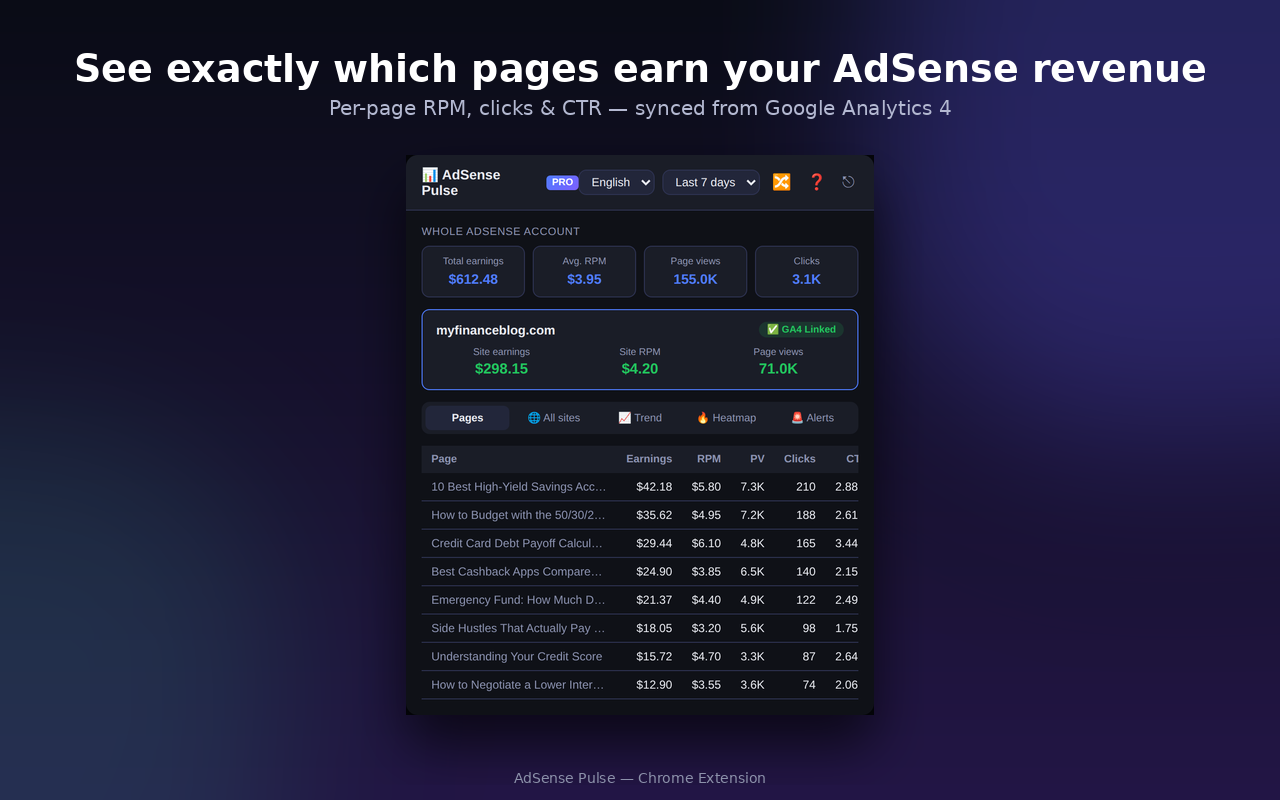
See earnings, RPM, clicks, page views, and GA4 traffic in one Chrome dashboard.
Check total earnings, RPM, clicks, and page views. See the revenue breakdown for each site without losing sight of your account.
Explore your top GA4 pages and sort by earnings, RPM, page views, clicks, or CTR. The free plan includes up to 10 pages.
Follow your last seven days of earnings and track progress toward your monthly goal. Switch accounts or properties without signing out.
A CLOSER LOOK
Open it from your toolbar.
Check in. Get back to creating.
YOUR NEXT DAILY HABIT
Install the extension from its Chrome Web Store listing.
Follow the extension's setup for your AdSense account and GA4 property.
Review earnings, explore top pages, and follow your daily trends from the toolbar.
START SMALL. SEE MORE WHEN YOU NEED IT.
FREE
A useful place to start.
Get the free extensionPRO THE BIGGER PICTURE
$39.99/year with annual billing.
Confirm your plan and final total at checkout.
YOUR DATA STAYS YOURS
According to the extension's privacy disclosure, your data stays in your browser and is not sent to developer servers.
Read the privacy policyGOOD TO KNOW
Bloggers, content creators, and website publishers who use Google AdSense and want to view earnings alongside Google Analytics 4 traffic.
Yes. The free plan includes account and site summaries, up to 10 top GA4 pages, seven-day earnings trends, a monthly goal tracker, and invalid click detection alerts.
Yes. AdSense Pulse supports English, Korean, Japanese, and Vietnamese.
Pro adds 30- and 90-day data, an unlimited page traffic view, and an hourly traffic heatmap. It is listed at $4.99/month or $39.99/year.
AdSense Pulse helps you monitor and understand your data. It does not guarantee higher earnings or prevent invalid traffic.
No. AdSense Pulse is an independent extension offered by EstRi. Google AdSense, Google Analytics, and Chrome are trademarks of Google LLC.
MAKE YOUR NEXT CHECK-IN COUNT
Available on the Chrome Web Store.